Ahmet Gökdemir
Saucebook app icon

Saucebook

Meal Planner & Grocery List

Save recipes from Instagram, TikTok, YouTube and any website, exactly as the creator wrote them. Plan your week and shop one list sorted by aisle. No account, no ads.

Coming soon to the App Store
Take a look

Saucebook screenshot 1
Saucebook screenshot 2
Saucebook screenshot 3
Saucebook screenshot 4
Saucebook screenshot 5
Saucebook screenshot 6
Saucebook screenshot 7
Saucebook screenshot 8
Saucebook screenshot 9
Saucebook screenshot 10

Why Saucebook

Save recipes from Instagram, TikTok, YouTube, Facebook, Pinterest and any recipe site, exactly as the creator wrote them. Nothing rewritten, nothing made up.

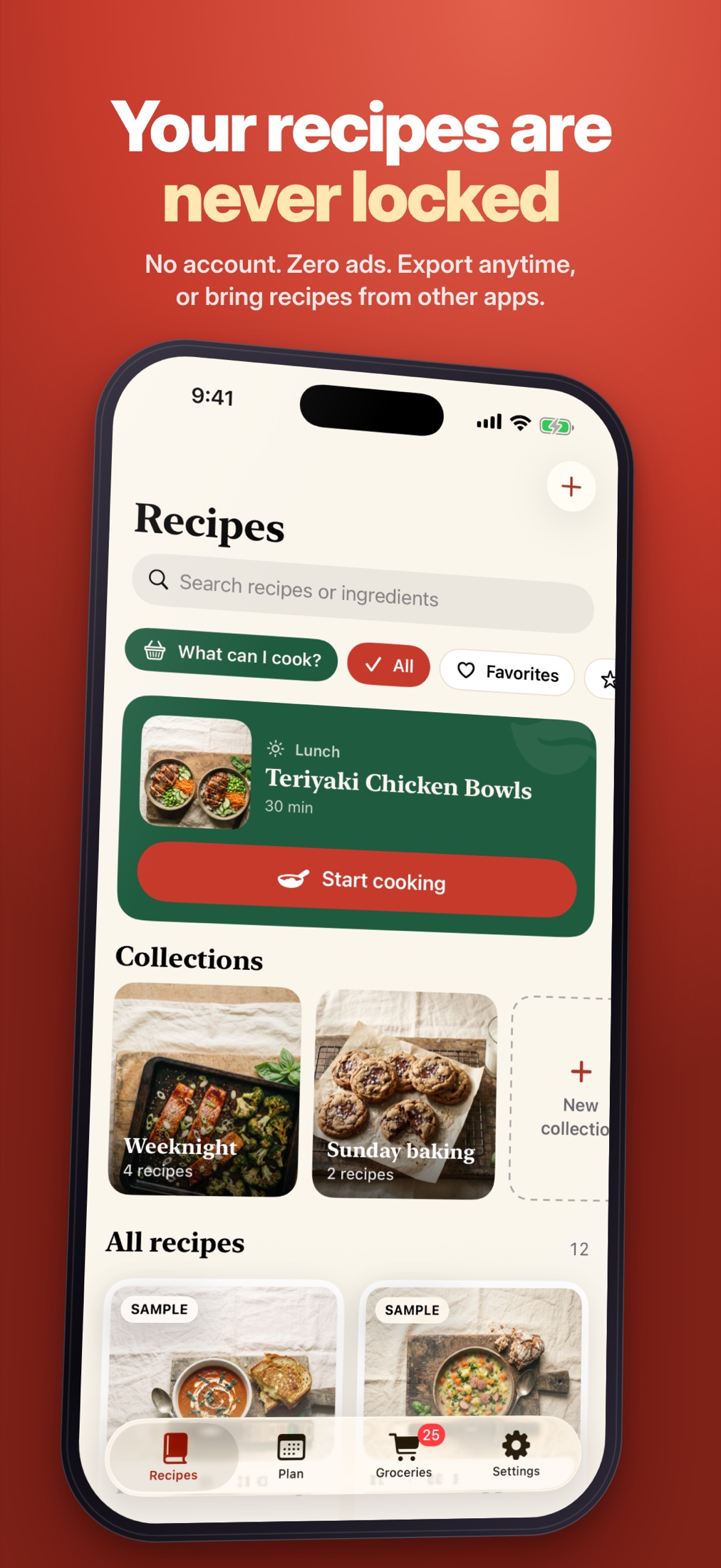
Your saved recipes are never locked. No account, no ads, no forced trial.

Saucebook is a recipe keeper, meal planner and grocery list in one private app. Your recipes live on your iPhone and in your private iCloud, and they stay in the language they were written in.

Save recipes from anywhere

  • Social posts and videos: share or paste a public Instagram, TikTok, YouTube, Facebook or Pinterest link. Saucebook reads the recipe text the creator published with the post and keeps its cover image. Videos and audio are never downloaded and nothing is transcribed
  • Paste a link from any recipe site or food blog, or share it to Saucebook from Safari and other apps
  • Scan a screenshot, a photo or a printed or handwritten recipe card. The text is read on your iPhone
  • Paste recipe text or type it in
  • Moving from another app? Import its export file in one go. It doesn't use your monthly imports

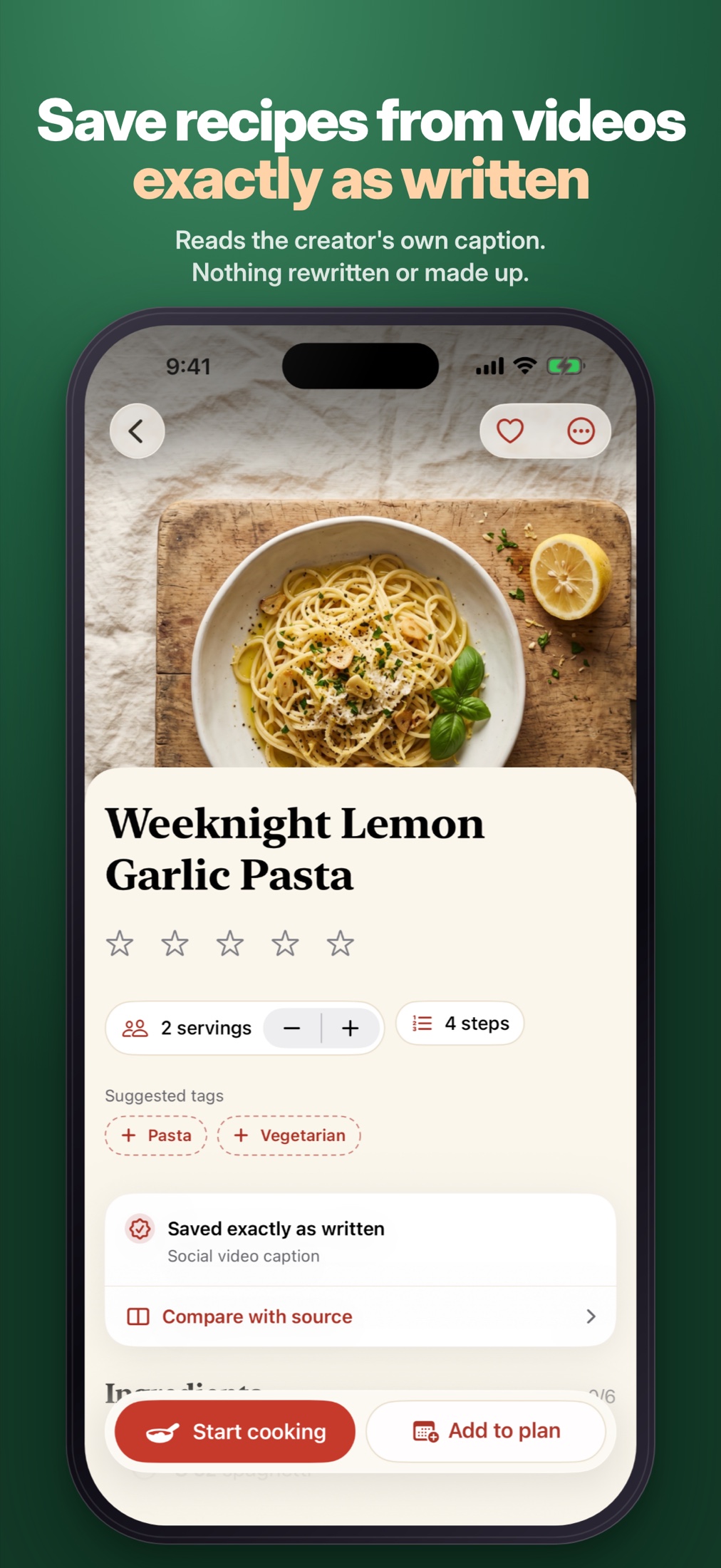
Saved exactly as written

  • Ingredients and steps are copied word for word, never rewritten or made up
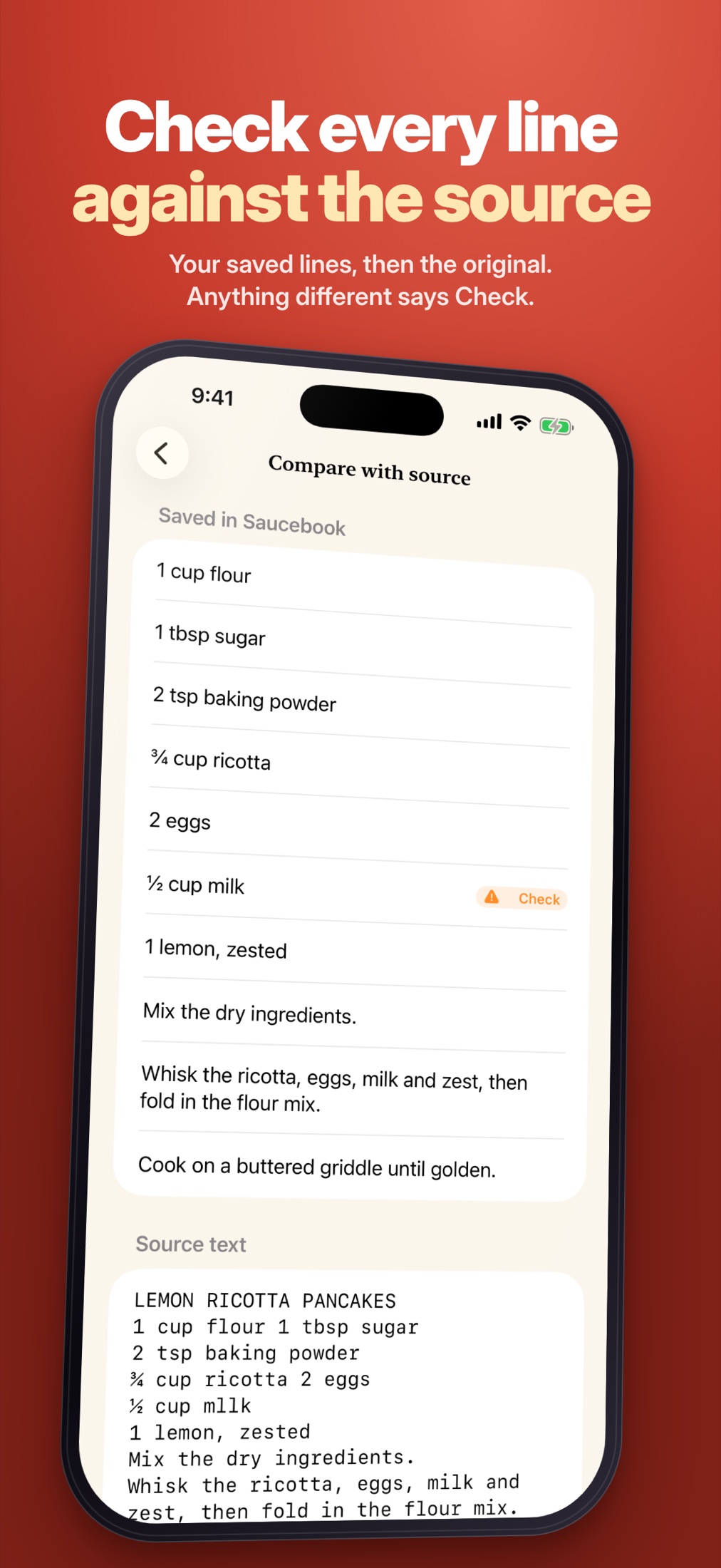
  • Every line is checked against the source, and anything that doesn't match is marked "Check"
  • Compare with source, side by side
  • The source and the creator's name stay with every recipe

Organize and share

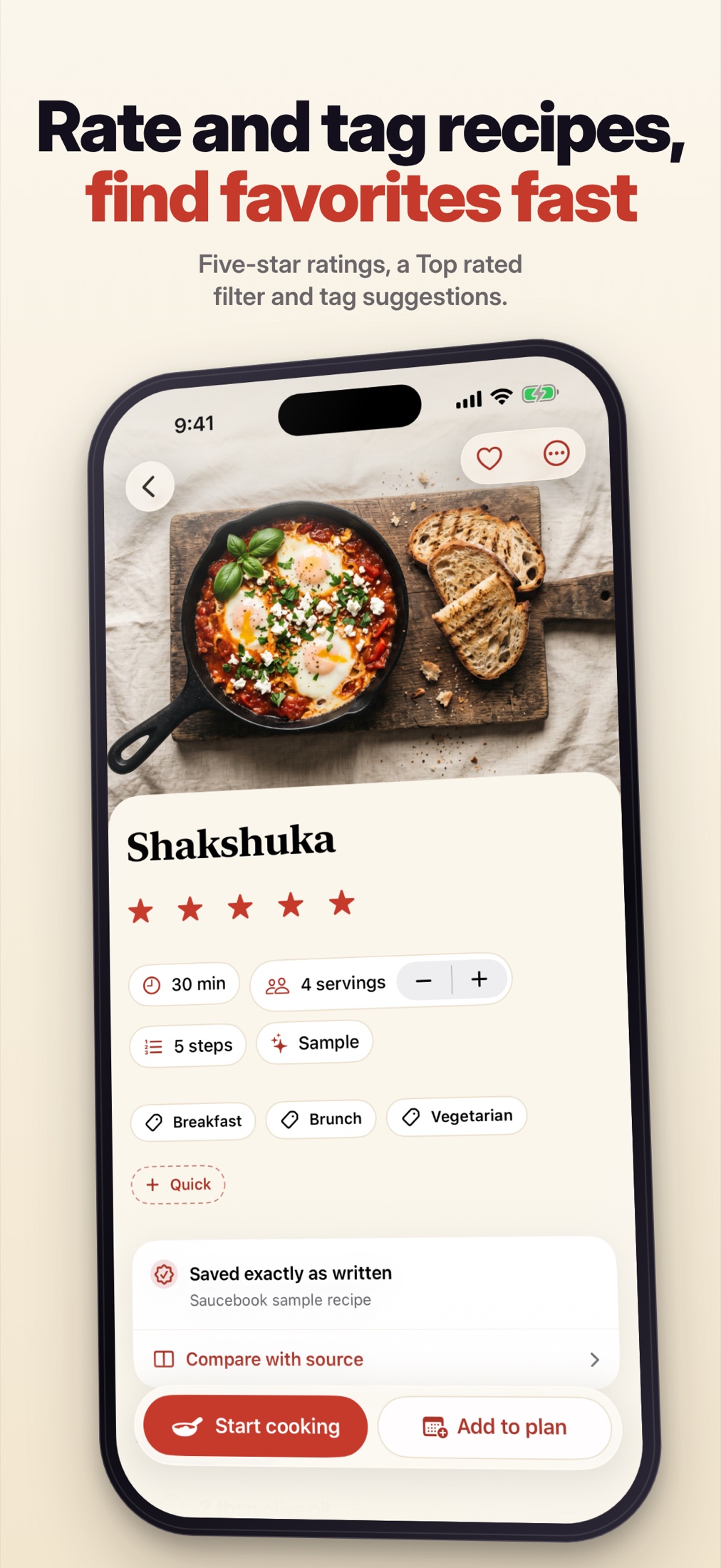
  • Rate recipes from 1 to 5 stars and find your top rated ones
  • Add tags, with suggestions, and filter your recipes by them
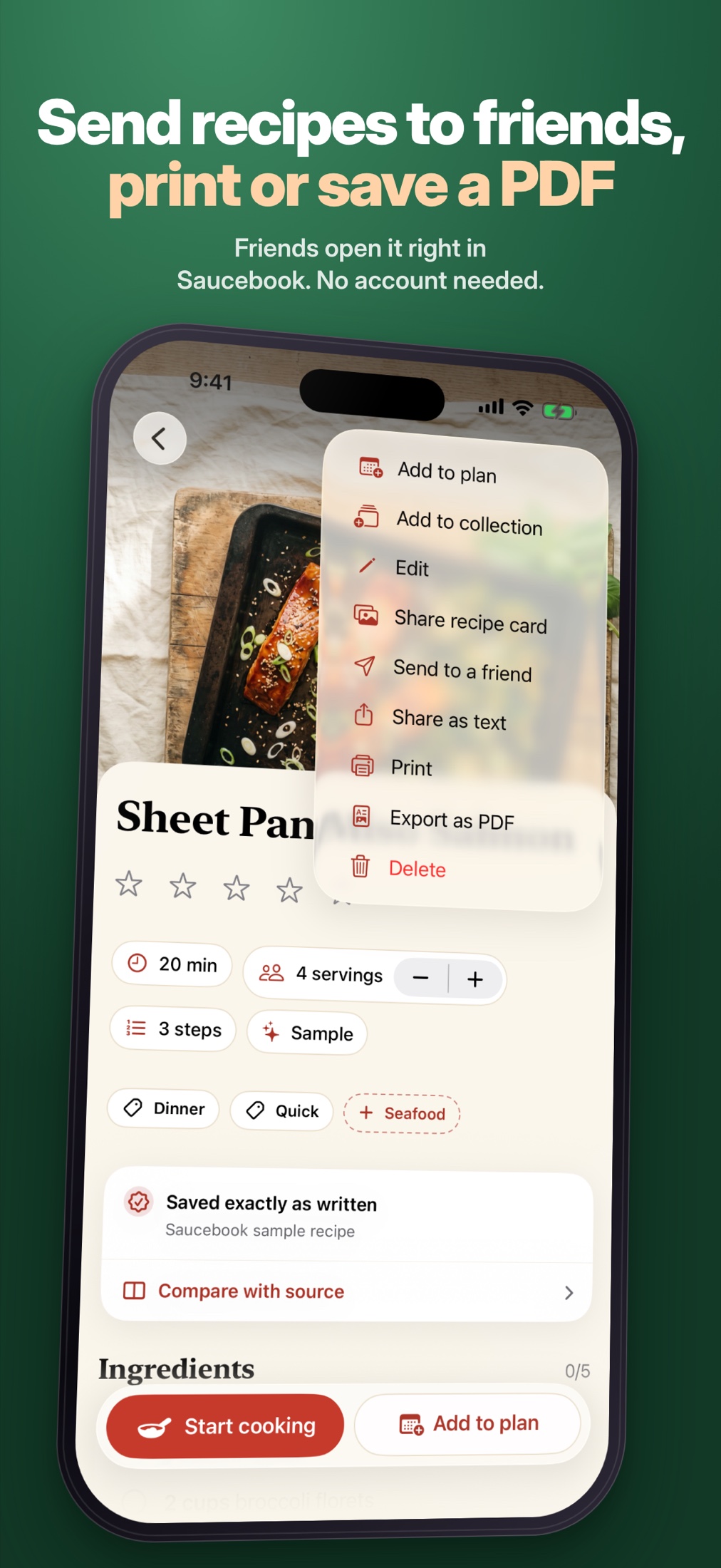
  • Print a recipe or save it as a PDF: one recipe, a collection or all of them
  • Send a recipe to a friend as a file they can open and save in Saucebook

Plan your week

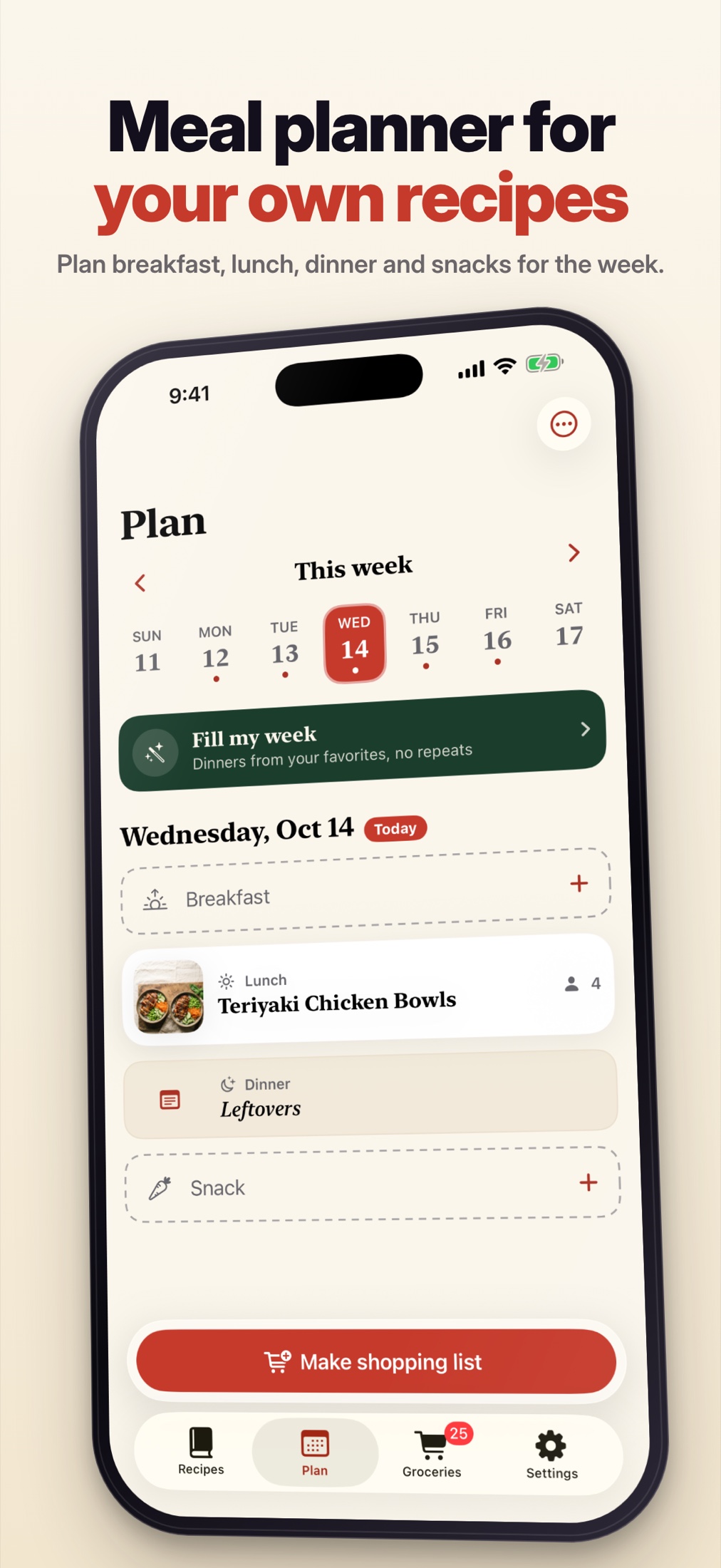
  • Breakfast, lunch, dinner and snacks for 7 days, from your own recipes
  • Notes like "Leftovers" or "Eat out" without a recipe
  • Scale servings while fractions and ranges stay right

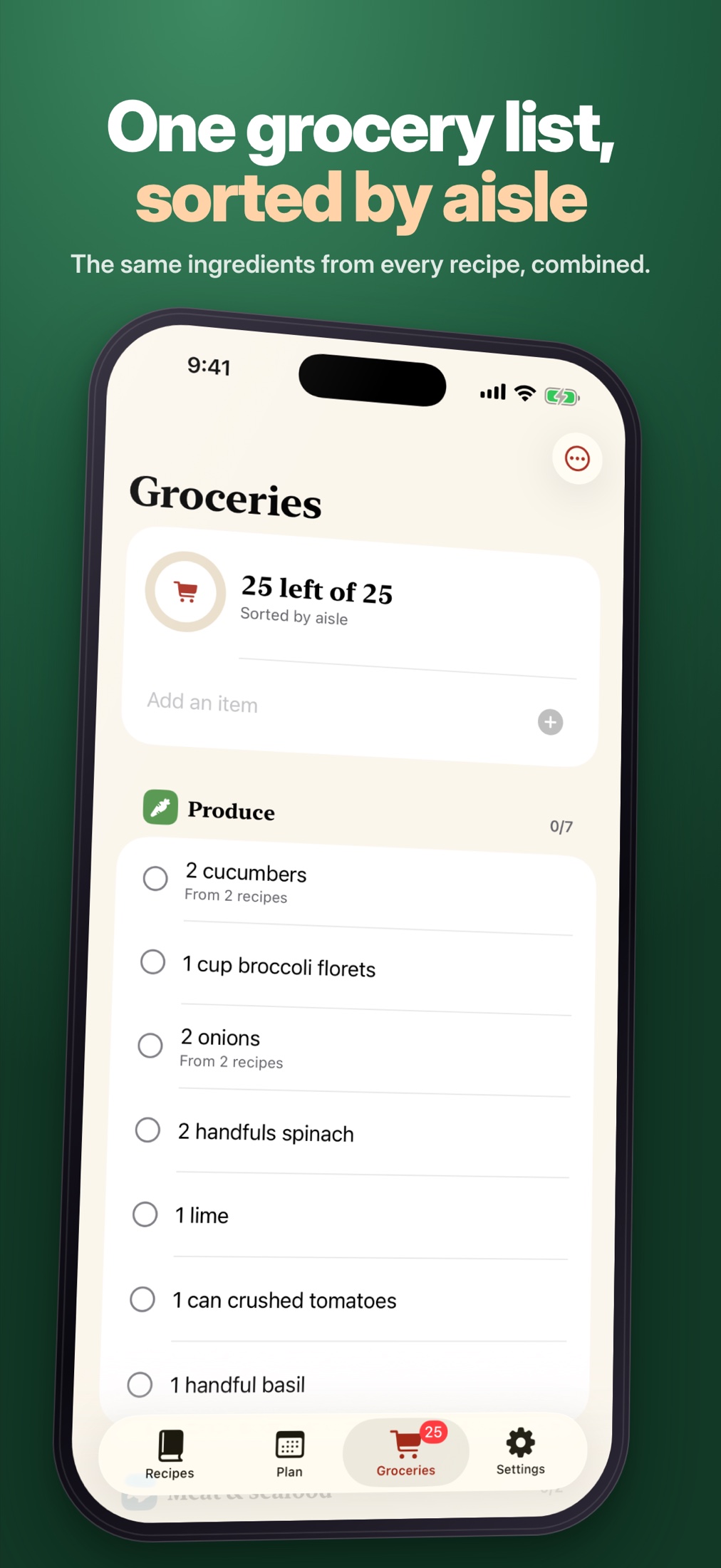
One grocery list, sorted by aisle

  • Make a grocery list from your plan. The same ingredients are combined into one line
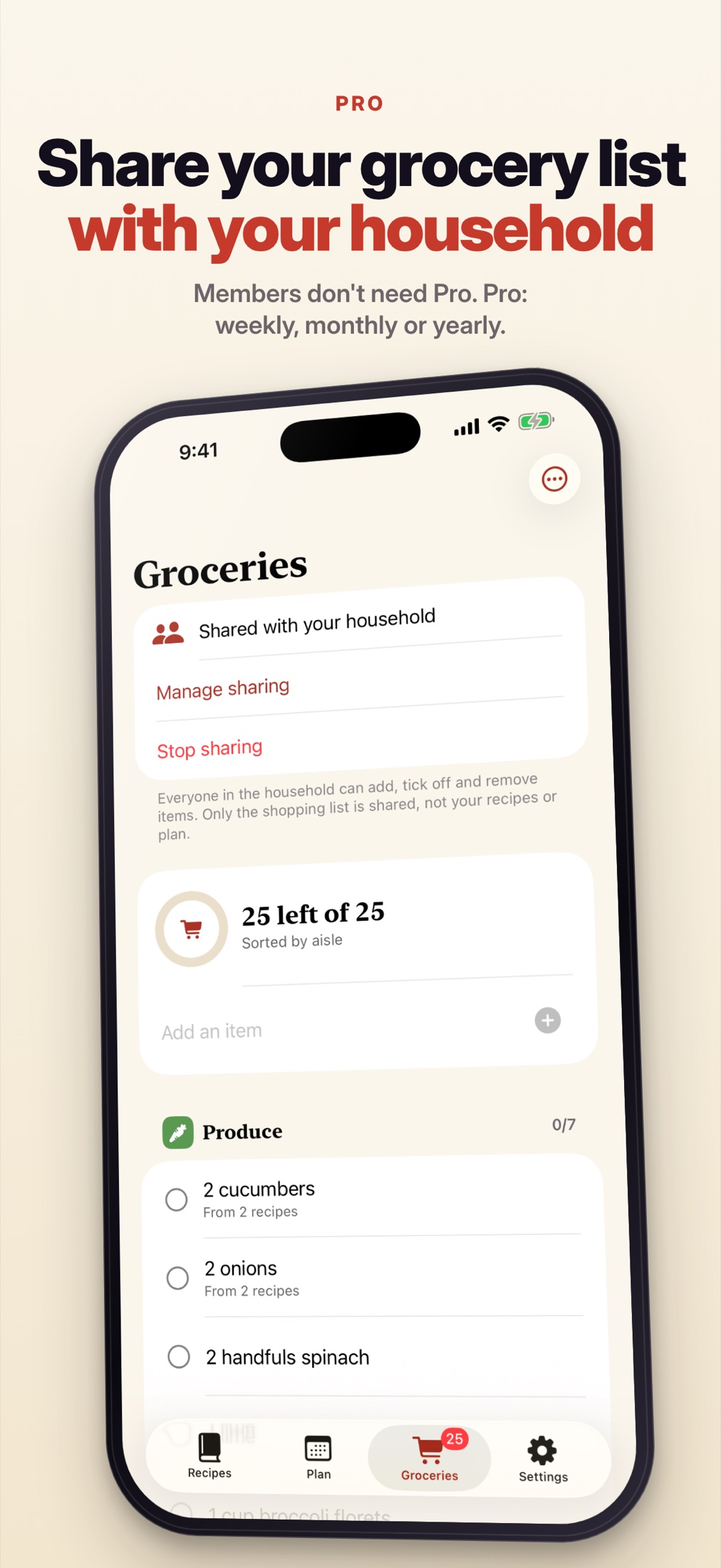
  • Grouped by aisle, with your own items, ticked off as you shop

Cook without scrolling

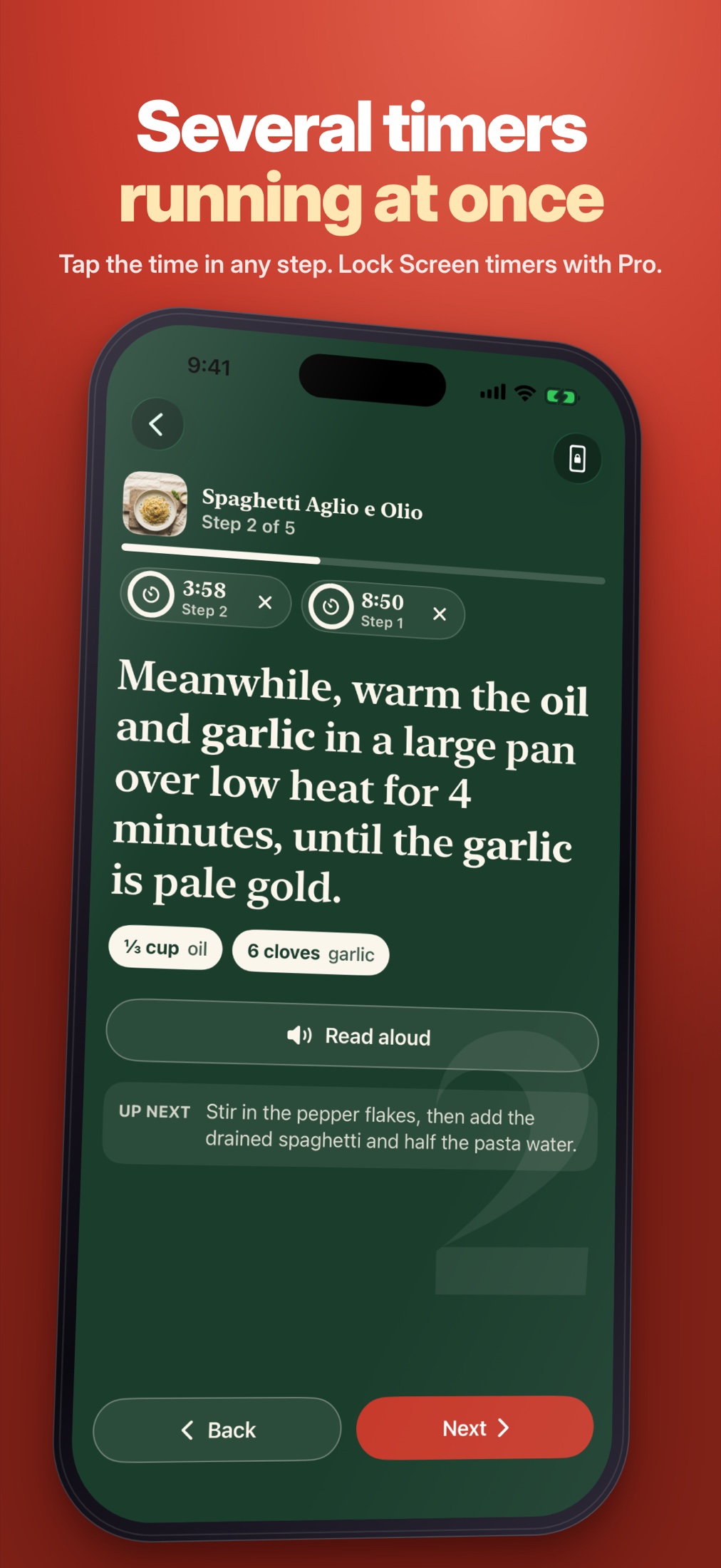
  • Cooking mode keeps the screen on and walks you through each step
  • Run several timers at once, started right from the steps that say how long
  • Follow your recipe on the Lock Screen and in the Dynamic Island (Pro)
  • Ask Siri what's cooking today (Pro)

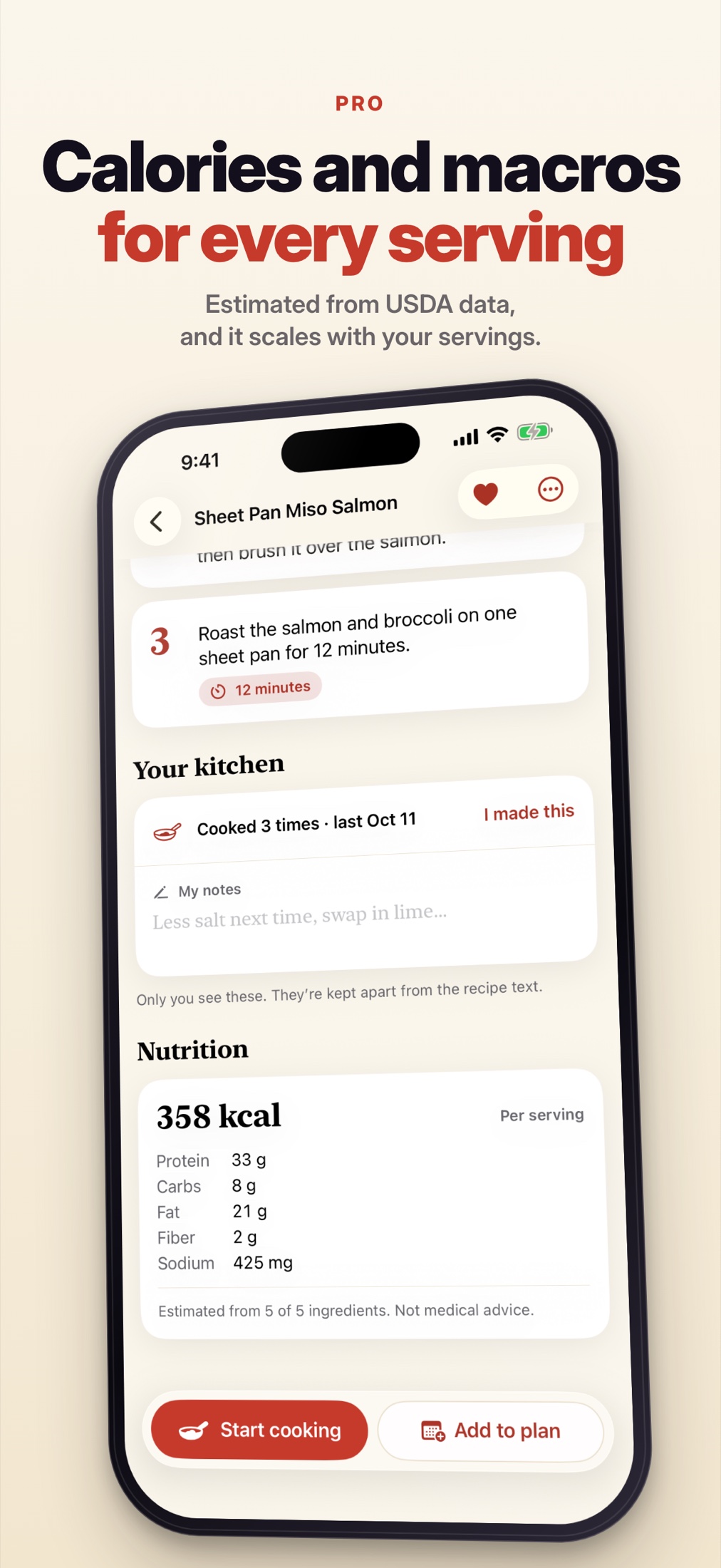
Nutrition estimates (Pro)

  • Estimated calories, protein, carbs and fat per serving, calculated on your iPhone with USDA FoodData Central data
  • You see how many ingredients were counted, and nutrition written by the source comes first. Estimates only, not medical advice

Free and Pro

Free: 10 automatic imports every month (the reset date is always shown), unlimited typed recipes and every feature not marked Pro.

Pro: unlimited imports, nutrition estimates, cloud help for messy captions (up to 200 a month), plans for any week with copy week and meal prep, pantry, your own aisle order, export to Reminders, a grocery list shared with your household (members don't need Pro), the Today's meals widget, Lock Screen cooking, Siri and recipe translation.

Cloud help (pro, always your choice)

Recipes are read on your iPhone first. Only if you allow cloud help, text Saucebook can't split on its own is sent to Anthropic (Claude) to sort it into ingredients and steps. Saucebook doesn't keep it, and the result is checked line by line against your source. Turn it off any time in Settings.

Saucebook Pro is a weekly, monthly or yearly subscription. The yearly plan includes a 7-day free trial for new subscribers, and Saucebook reminds you 2 days before it ends. Prices are shown in the app before you pay, and you can keep using the free version. Subscriptions renew automatically unless cancelled at least 24 hours before the end of the current period; manage or cancel them in your App Store account settings.